In episode 133 of the Gutenberg Changelog Podcast, Birgit Pauli-Haack hosts Faith Ruth Imokol, a Ugandan web developer and longtime Gutenberg advocate, to discuss the Gutenberg 23.6 release and the upcoming WordPress 7.1 update. The episode opens with insights into the WordPress community in Uganda, highlighting their active WordCamp scene and educational initiatives such as the Campus Connect program, which introduces WordPress to students across the country.
Faith Imokol shares her experience on a recent WordCamp Kampala panel about AI in web development, noting divided perspectives: while some Ugandans are excited about AI’s possibilities, others are concerned about job security and adaptation. She describes her personal transition into using AI as a collaborative development tool, driven by the need for faster production due to heightened competition.
Discussion moves to WordPress 7.1, covering new features such as customizable viewports via theme.json, expanded notes and commenting capabilities, enhanced SVG icon registration, and improvements to blocks like playlists and tabs. Both speakers are enthusiastic about the collaborative features and the evolving editorial workflow, particularly the granular notes system for streamlined feedback.
The episode emphasizes community feedback’s role in shaping new releases and encourages listeners to help test upcoming WordPress versions to ensure quality and translatability. The episode closes with practical tips and excitement for ongoing educational outreach and future Gutenberg advancements.
- Editor: Sandy Reed
- Logo: Mark Uraine
- Production: Birgit Pauli-Haack
Show Notes
Special Guest: Faith Ruth Imokol
WordPress Events in Uganda
Upcoming Events
- WordPress in Education Showcase 2026 August 7, 2026
- WordCamp Lira 2026 29+ 30 August 2026
- WordCamp is in Jinja 19th – 20th September 2026
- WordPress Campus Connect Central and Eastern Uganda Schools 2026
Past 2026 Events
- Uganda Website Projects Competition | 2026
- WordCamp Masaka
- Campus Connect in Masaka
- Campus Connect Kakumiro
WordPress 7.1
More Developer Notes for WordPress 7.1
- Client-Side Media Processing
- Text shadow support in global styles
- Media library infinite scroll enabled by default
- Editable blocks inside Custom HTML block
- Editor Components updates
- Registering and rendering SVG icons
- Min width block support
- Background gradient block support
The post editor is going full iframe: what block developers need to know before WordPress 7.1
Video w/ Ryan Welcher: iframed post editor canvas
Stay in Touch
- Did you like this episode? Please write us a review
- Ping us on X (formerly known as Twitter) or send DMs with questions. @gutenbergtimes and @bph.
- If you have questions or suggestions, or news you want us to include, send them to changelog@gutenbergtimes.com.
- Please write us a review on iTunes! (Click here to learn how)
Transcript
Birgit Pauli-Haack: Welcome to our 133rd episode of the Gutenberg Changelog Podcast. In today’s episode, we will talk about Gutenberg 23.6 release and some WordPress 7.1. And that should be enough for today. I’m your host, Birgit Pauli Haag, curator at the Gutenberg Times and full-time core contributor to the WordPress Open Source Project sponsored by Automattic. And today I’m very excited that Faith Ruth Imokol joins me. She’s a web developer from Uganda, WordCamp organizer there and speaker, and a Gutenberg advocate since 2018, as long as the Gutenberg Times. And I’m glad she agreed to come on the show and talk through with this release and tell us more about the WordPress community in Uganda. Welcome to the show, Faith. How are you today?
Faith Imokol: Thank you very much, Birgit, for having me. I am okay. I’m very fine. Thank you, listeners, for having me as well. I’m excited.
Birgit Pauli-Haack: Me too. Me too. It’s such wonderful to have you on the show. So, WordCamp community in Uganda is really busy this year, and it probably was last year as well because there’s a lot of experience there in doing WordCamps. So you, you were in WordCamp Kampala this year.
Faith Imokol: Yes.
Birgit Pauli-Haack: And you were on a panel session titled AI and the Future of Web Development: The Good, the Bad, and the Ugly. So what were your takeaways? How are the people in Uganda kind of looking at AI and the future of the web?
Faith Imokol: Oh, well, the opinions on the future of AI in Uganda and how people view it are quite divided. Many are very hopeful, but some are also a little worried about what is going to become of them, especially when it comes to their jobs with AI. There’s a lot of talk on AI taking over. There’s a lot of talk on, okay, what do we need to do? Do we still need to continue with the way that we’ve been working or should we transition into full AI mode working with AIs? So there’s a lot of speculation around AI. And during the panel session, very many people had very many questions around that. They wanted reassurances on, especially when it comes to their jobs. Do we still have our jobs as developers? Can we still maintain the work that we are doing right now? Can we still continue using the tools that we are working with right now, or should we leave them and just take on AI and start working with AI. So it was a panel that was there to encourage people, to also highlight and offer corrections on some of the misinformation that was going, that has been spreading and going around in the community, especially in the WordPress community. Yeah.
Birgit Pauli-Haack: So how, you don’t have to go into details, but how are you approaching AI for your work?
Faith Imokol: Personally, I could say that I’ve been forced in some way to use AI ’cause I’m using it more as a pair working along with it in my development. And I’ve been forced to use it. Initially, I was a little hesitant. I like to do my own discoveries. I like to go through my own work and do my own troubleshooting. But with the AI coming in, it forced some of the teams that I was working in to have to increase the rate at which they produce and release applications. Why? Because the competition has now stiffened. If you’re not using AI to work faster, someone else is going to produce what you’re doing and they’re going to release it, and then you’re going to be left behind. So I kind of, at some extent, have had to take a back seat on doing my own personal investigations and leaving those to my own personal time. But when it comes to work, it’s something that I’ve fully incorporated into my day-to-day working. Yeah, still, I still apply my own knowledge as well. I don’t leave everything to AI to do it.
Birgit Pauli-Haack: That’s certainly quite prudent, yeah, to see how AI can really go wrong and you don’t know which tangent they go on. Yeah. And I have found, well, I’m using AI maybe a year now for a lot of different things and I have found that there’s no taste. Yeah. It has no feelings, of course. Yeah. And it has no empathy for anything. Yeah. So, human judgment is even more needed for anything that is released that was done by AI. And I think it becomes more and more clear the longer we practice with it. First, it’s a fantastic tool. Yeah, it kind of gets you to certain things faster, but it also is very verbose in code, in reviews, in analysis, and you really need to kind of slow it down and figure out what’s really important. And that it can’t do. It doesn’t know what’s important, what’s not important. Everything is the same.
Faith Imokol: I kind of think it’s like a very smart child who thinks they know everything, but they’ve not lived through the experience of what an adult knows.
Birgit Pauli-Haack: So they still need guidance. That’s a good analogy. Yeah. It’s like a young person who just graduated high school and knows everything.
Faith Imokol: Yeah.
Birgit Pauli-Haack: Yeah, I was that when I graduated from high school. I knew everything. But back to the Uganda community, the next WordCamp is in Jinja. Is that how you pronounce it? From the 19th to the 20th of September. It’s in the Civil Service College in Jinja. Just, just in case you dear listeners are in the region and you wanna go to a WordCamp in Uganda. But there’s also running from now to December several WordPress Campus Connect events with 25 schools, each one with at least 100 participants, 25 schools, colleges, or universities. And the program will bring practical, as it aims to, practical WordPress learning sessions to selected schools across Central and Eastern Uganda. And students will be introduced to the basics of WordPress, how websites are built, how to create and publish content and how they can use WordPress for school projects, personal portfolios, blogs, business ideas, and future technology careers. So these are the Campus Connect from the WordPress Education Program that started, I think, in the end of ’24 and has now run through ’25 and half of ’26. So, and Uganda is really taking to it and getting a lot of students involved with WordPress.
Faith Imokol: Yeah, we’re working hard to see that the future, the next generation that comes into the workforce is not too ill-equipped like the way we were. So these programs that we’re starting as the WordPress community are out to help the next, the coming, the young generations that are coming in, for them to know, to know the different skills that they can take on and to know that there are different tools that they can also learn that can help them. So it’s really a very amazing initiative that was started by Mr. Dumba and Moses.
Birgit Pauli-Haack: Yeah. Yeah. And they are still completely involved and totally immersed in that field. Yeah. Stephen Dumba also organized a website project competition for elementary schools, high schools, and colleges. And they had, I think, 20 teams in total there. And then each team had to create a website for a community project that is local and was very important to the community and how to communicate those problems and solutions. And that was also in June. Then there was WordCamp Osaka, Campus Connect in Osaka, and then Campus Connect in Kakumiro, if I pronounce all that right.
Faith Imokol: Yes. Yeah, you’re trying.
Birgit Pauli-Haack: I’m trying. Yeah, I’m not succeeding. Okay.
Faith Imokol: Your pronunciations are very good.
Birgit Pauli-Haack: Okay. Yeah. Yeah. So I’m really excited about what’s happening on the African continent in the various communities. Uganda is one. I think another very active one is Kenya. And there was one in Rwanda. I don’t know how active they are now. But yeah, I’m really excited about that.
Announcements
So we have a few announcements. 7.1 is coming Today is July 30th. So in about 3 weeks, we will have a final release of 7.1. August 19th is the release date. And it will be released on the last day of WordCamp US. The Source of Truth, that’s the book about things, yeah, that is published on the Gutenberg Times. This time it’s about 39 minutes to read and 7,000 words. It’s really an ebook or something like that. The table of contents, it’s very detailed. So you can jump into the sections that you want. Okay. That you need. And the developer notes are coming out for those who need more technical details. And there was one from the client-side media processing, the text shadow support for global styles.
The media library infinite scroll is coming back and is enabled by default, but there is a filter to disable it for those who need it disabled. And then there are now editable blocks inside custom HTML blocks. That’s a very interesting construction. So if you’re interested in that, we share, of course, the developer links in the show notes. There are some editor component updates that are interesting for those who are using those for development in admin as well as in block editor. And then a lot of people have been waiting for that part, registering and rendering SVG icons and icon collections. The developer note is out and it will come to 7.1. And then there’s also a mid-width block support and background gradient block support. So there are some things for the global styles that are only available through the theme.json. There is no UI yet for it because it just needs to simmer a bit and kind of brew a bit before developers are thinking about the UI. Is there anything that excites you from 7.1 from, from these developer notes yet?
Faith Imokol: Yeah, well, I really, really, really enjoy the new features that are coming in, especially the one thing that I’ve really been excited about is the collaboration tools. So I’m really looking forward to working more with those and seeing how they will help people collaborate on different WordPress projects.
Birgit Pauli-Haack: Yes. Yeah, yeah, yeah. Unfortunately, the real-time collaboration has been punted again. Or it was clear that it would not come to 7.1 because it has these underlying server technical approaches that depending on where the site is hosted, it needs to have a different approach. Or in enterprise, yeah, it’s a different approach and all that. And they haven’t narrowed down what the default value could be. But what I really like are the e-syncer. So it’s very rare that I’m sitting there and somebody else is sitting on their computer and we’re on the post or on the site at the same time. Mostly it’s because, yeah, I work remotely in Europe time zone with a lot of people in the United States that’s 6 hours behind. It’s more asynchronous. And I think the notes section is really getting some great love there that came in 6.9 and 7.0 and now has additional features. Yeah, I really like that.
Faith Imokol: Yeah. I see it growing. I see it growing into something much bigger. So I’m looking forward to whatever is coming ahead.
Birgit Pauli-Haack: Yeah, yeah, I could actually see that. But the current publishing flow at the official developer blog is that the writers do a draft in Google Docs, and then 2 reviewers come in and help edit that or streamline it or shorten it or whatever, comment on it. And then the writer has to make all the changes after those feedbacks and then take the whole Google Doc and put it into a blog. So with the notes feature, we can cut out the Google section part because we can now comment on the, on writing on the blocks. Yeah, we can mention people and we can resolve issues from the notes. So it’s coming really close to streamlining that, our process. All right.
What’s Released -WordPress 7.1
What’s released? WordPress 7.1 Beta 4 came out. That’s the last release before the release candidate next week on August 5th. August 5th is also the deadline for the rest of the dev notes, the developer notes for that, and the Field Guide will come around that as well. And that’s also the time where string freeze happens. Release candidate is still 14 days away. The translators need to get into it. So string freeze means there are no new strings that come in that need to be translated. Because the WordPress ecosystem has a huge army of translators. And by the time the release comes out, it will be translated into about 70 languages, almost 100% from the new release. And that’s huge. But we need to give those translators a time on the polyglots teams to actually get it all in. And this is not a small release, although it wasn’t a long pipeline there. Yeah.
And if you want to test it, this is now the time to go to the Make/Test team and follow the Help Test WordPress 7.1. It’s also linked from the release post from the news section because it gives you an opportunity to not only dive into the new features, but it also gives you instructions and a video and you learn quite a bit about it. And if you find things that are not right, you surface that. And that is not only surfaced for yourself, but it’s also surfaced for millions of other people who are going to get this new version. And if you are fast enough and the problems are small enough, they might get the fixes in before the final release. So if you wanna help and contribute quite impactful, help test WordPress 7.1. It’s my call for action for this show. Did you get a chance to dive into some of the features yet?
Faith Imokol: Yes, I did. I did try testing them as well locally. And yeah, it’s really impressive. The work that is being put into this is very, very impressive.
Gutenberg 23.6
Birgit Pauli-Haack: All right. So this brings us to the Gutenberg plugin release 23.6. And 23.6 is also the last feature release for 7.1. So everything that made it into the 23.6, almost all of it will come to 7.1. Everything that’s enhancements in the next release will not make it because we are past the beta site. But all the bug fixes that you find in your testing and you report them as issues or on the support forums have a chance to get in. Yeah. So let’s start with that.
Features
The first item that I want to point out is that you can now set the viewport for tablet and mobile values in theme.json. What does that mean? So the Gutenberg plugin editor had hardcoded viewports for what’s considered desktop, what’s considered tablet, and what’s considered mobile. And everybody had to work around those if you had a different idea about those viewports.
Faith Imokol: Yeah.
Birgit Pauli-Haack: But now you can just set the setting in your theme.json for your theme and then everything will fall into place.
Faith Imokol: I think this gives us much more flexibility because initially with the default viewpoints that are set by WordPress, all sites end up having the same, could I say breakpoints?
Birgit Pauli-Haack: Yeah.
Faith Imokol: I think personally I prefer to, I refer to them as breakpoints. for different screens that is in mobile responsiveness. And this is going to allow us to be able to customize this to our own liking so that our themes can be uniform with, uh, can have settings that have been preset by us than having the default ones that WordPress has added. And I think as I was going through the changelog, I came through the discussion because the viewports allow you to set the tablet and the mobile view. And there was a discussion of what could happen if someone set the tab view to have a smaller, should I say, breakpoint than the mobile screen. What could happen by that? And it was quite interesting that at that point we reverted back to the defaults.
Birgit Pauli-Haack: Yeah.
Faith Imokol: Yeah. So it’s a good thing to have in the background, as I don’t think everyone will abide by the rules, but As you’re working with this and anyone who gets to work with this, I think you have to keep that in mind that you, you’re setting different breakpoints for different devices and tablets are larger than mobile devices.
Birgit Pauli-Haack: Yeah. Yeah. That’s the assumption that tablets are larger than mobile devices. So if someone puts a mobile breakpoint in that’s bigger than the tablet, that can probably just be a mistake or something like that. Yeah. So having a fallback to not ruin the whole site just because of a wrong value in the theme.json is probably a good measure, yes.
Faith Imokol: I’m thinking we now have these new Samsung phones that have come out, the flip phones. Does it become a tablet? I’m still trying to understand.
Birgit Pauli-Haack: Yeah, it’s a good question. So I saw a discussion, an issue that you can— that on Gutenberg to think through the consequences if you have more than 3 breakpoints. Yeah. Can we have multiple sizes? I mean, at one point it really becomes a usability issue. How would an editor or a user, keep in mind that, yes, I saw plugins that have 6 breakpoints and it’s really hard to control those because you never know where you have all the changes made. Yeah, and come back to it when you, when you start out, it’s probably easier to kind of think through it. But once you have a site and you need to make some changes, it’s very hard to figure out where all those changes have to be made. So it doesn’t become better with more breakpoints. I think that was a point why the Gutenberg developers started out with really honing in on the intrinsic designs, that there’s actually a seamless adaption to the screen sizes. And that’s where the Samsung folding phone probably will come in.
Faith Imokol: Yeah.
Birgit Pauli-Haack: That you’re not fixed on a breakpoint to just say, okay, yeah, it takes the space it has. Yeah. And rather do content queries rather than media queries. Yeah.
Faith Imokol: I hope we see how, what else will be added to this, cuz I think more is going to come up and shall have more settings being added to this.
Birgit Pauli-Haack: For sure. Yeah.
Faith Imokol: So, uh, notes, this is, features that I’m really excited about. It shows you how powerful Gutenberg has gotten. Being able to add notes. So the upcoming features, one of the features that we have will be auto-completing mentions. This is you’ll be able to tag an individual, a user, onto the post, and when you tag them, the prompt will be able to— will allow you to select from— it will pop up a list of the available users and you’ll be able to select the ones that you want to tag. And when they are tagged on the front end, you’ll be able to see that they are highlighted, that the tag name is— their display name is highlighted. So this is a feature that I’m really, really impressed by and hope to see how far it grows more because I’m seeing all the different possibilities that it can be used in, things like notifications. And I think this is one of the features that is being incorporated for the collaboration right. Later, even as we’re collaborating, because you can tag someone within the notes, but now you’re also doing inline, you know, you’re able to tag people within, within the context of the content that you’re creating. Yeah. So this is something that I’m really impressed by and looking forward to see how far that can be taken.
Birgit Pauli-Haack: Yeah. And now what a lot of people were waiting for, that you can actually highlight partial text and have those notes in the sidebar about a certain portion of a text and not just a whole paragraph block. And now you can also have multiple notes per block as well. So if you have here, the paragraph is, I don’t know, 10 lines long and you have something you want to note about the first line or the first 6 words or so, and then in the middle is something, and you could have notes for each one of them that then show up in the section. So it makes it much easier to streamline the conversation and to be really granular in what the notes are about or the comments are about. Yeah. And it now has a resolved divider. And so when you check a note that is resolved, it pushes it further down and has a little divider in the sidebar. So yeah, it really comes well together, this note section. Yeah. It really starts growing up.
Faith Imokol: Yeah, I’m seeing lots and lots of ways that this is going to, because I’m thinking with the resolver, adding the resolved divider, I’m seeing this going into something like project management and we’re able to add even more other statuses possibly besides just the resolved divider. Very impressive.
Birgit Pauli-Haack: I can see some plugin opportunities there to kind of collect all those and have a separate kind of setup for a whole editorial workflow where the main editor just kind of looks through what are the posts and what are the comments. And you can see, okay, or you come in as an editor and see, oh, I need to go through all the comments where I’m tagged. Yeah. So these kinds of things, I think that would be an interesting feature set to add to it. Not sure that core is actually gonna aim for it. So that might be plugin territory because, territory, because it’s a very finite use case for that.
Faith Imokol: Yes.
Birgit Pauli-Haack: The next item is by default, the admin bar is now shown for post and site editor as well. Once you’re logged in, you see a black bar on your website on top of it with some links where you can jump in different places, and that is coming to 7.1 as well. And now that admin bar has been streamlined and kind of combines the site editor navigation as well with the admin bar. And it’s really, it’s a nice feeling. It kind of feels now a little bit more consistent, and you can access the things that you could access before. Yeah, you have your site icon. You also have the big W, and that was in there before, but the header of the site editor is now smaller or the block editor. And it’s all coming together quite nicely.
Faith Imokol: Yes. Coming in version 7.1, we are having, I could say there’s a kind of more a mix of both dynamic and static content blocks, block content, where we are going to be able to have what WordPress offers. I don’t know if this is the right way to present this, but currently WordPress offers you a way of providing or creating content that is you’re either working with blocks or you’re working with your default static HTML. And this new feature of adding inner content is going to allow us to be able to add dynamic content within static content. So you’ll be able to work with your HTML and still add editable content within your static content. that is your normal HTML, but within it you have an editable, let me say, paragraph block within there. So the other content remains static, but within it you have your inner content. And we’ve been provided a new feature called inner content that we can use to set this up.
Birgit Pauli-Haack: Mm-hmm.
Faith Imokol: That is, if you’re working with if you’re creating your own code, you’ll be able to add this inner content feature and we’ll be able to allow you to create static content that has HTML blocks within it.
Birgit Pauli-Haack: Yeah. No, very well described. Yeah, I can see how that is really helpful, especially for patterns that you have editable sections and you say static, I say hardcoded. Yeah, don’t touch things as an editor. You’re right. This comes to 7.1 as well. And there are developer notes out. So it will be in the show notes so you can see the technical implementations for that in 7.1.
Faith Imokol: Yeah, it’s, it’s, it’s, it’s quite a powerful tool, I think, because it’s— I see it becoming also— it’s some— one of those features that I feel can be added onto in different ways because you’re now not just building something that is strict, but you can modify it to appeal to different scenarios and different use cases. As current cases, either you have one block that is doing one particular thing, but now here you’re able to work with blocks and also normal HTML. So it gives, as a developer, I feel it gives me some power. I’m not just leaving everything to the blocks to be doing everything, but it gives me some power to be able to add different content styles. Yes.
Birgit Pauli-Haack: Nice.
Faith Imokol: Yeah. Yeah.
Birgit Pauli-Haack: The next one is part of the Icons API. Now 23.6 Gutenberg plugin now has PHP methods To render inline SVG icons from the registry. So that can also be used in PHP-only blocks or in other templates and all that. So that also comes in 7.1, is a new API for registering icons in WordPress, SVG icons and icons collections that came in with 23.6.
Faith Imokol: I can take the next one.
Birgit Pauli-Haack: Mm-hmm.
Enhancements
Faith Imokol: Coming in 7.1. So we had some issues with the backgrounds in some of the blocks, that is the accordion, the post content block, the quotes block, the verse block. And in this, there were issues with the way the images were being handled, that is in the CSS, in the blocks, in the block CSS, which ended up blocking the gradient. It ended up breaking the gradient. So kind of could say that there was a conflict. In how the background images and the gradients were being handled. So it was causing a bug with our gradients. So this has been fixed in how the background images and the gradients are handled. And so you’ll not be able to see conflicts when you apply a gradient onto any of your blocks, especially the blocks that we have stated, that is the block quotes accordion, the pull quotes, the verses and post content blocks.
Birgit Pauli-Haack: Yeah. And actually, this fix also gives you a totally new feature. Now you can overlay the gradient onto the background image, and that gives a whole new way of designing things. And if you look at some of the PRs that are coming through and with a screen share there, it’s actually quite nice that the image kind of feels a little bit more lively when there’s a gradient on top of them. So it’s really good.
Yeah, the latest post block received layout and block spacing support. The latest post block was historically just a re-rendering as a block from the widget section of WordPress prior to that, and hasn’t gotten a whole lot of love after that because the query block is kind of also a latest block kind of thing. But it now has layout and block spacing support so you can fit it in other places quite nicely. Speaking of the query block, it now has an option to exclude the current post from the query block, from the list of blocks, so to speak. So this gives a better feel for your single post template where you can say, okay, so this is the post with the post content, but then underneath you can add a list of blocks from either the same category or for the same taxonomy and exclude the current block. Up until now, it would always also render the current block if it had the same taxonomy. So I think that’s a feature that a lot of people actually were waiting for. It sounds so minuscule. Yeah, but it’s actually pretty powerful.
Faith Imokol: So we have a new feature that has been added to the cover block. And this will allow users to restrict the kind of videos that they want to be added to their cover blocks. Initially, currently what we have is that WordPress has a variety of different video providers that you can embed into your cover block, but this will allow you to restrict. So if you only want to display only YouTube videos, you can add a restriction that we only need YouTube videos being uploaded in our cover block. While you can switch this up to any that you want, as opposed to just allowing it to have any video embedded provider adding the videos. So this is one of those features. I think it gives us more control over what you want. Could I say, when it comes to different service providers, they provide a whole different interface and layout for how their videos play out, and this will allow something like uniformity.
Birgit Pauli-Haack: Yeah.
Faith Imokol: Because I think it can be a little strange when you have your website on— some videos are playing like YouTube content and then it switches into another format and it’s maybe Vimeo and it all looks so different. I see this creating a better display, a better feel, but it also gives you more control on what kind of content is acceptable.
Birgit Pauli-Haack: Absolutely. So from the history, this comes after 7.0 allowed to actually use a video URL as a background for a cover. And after that was installed, there was quite some feedback from the community, especially the agency community and the enterprise level where they say, okay, I don’t want people just have video embeds from outside of, especially those that are in restricted industries, they’re regulated industries, they cannot just have willy-nilly URLs playing on their website. So they needed a way to restrict the video providers or even restrict that feature altogether. So this is a reaction of all the community feedback that came in to provide that.
Faith Imokol: Yeah.
Birgit Pauli-Haack: Speaking of video, the new client-side processing now also has a way to convert the GIF, an uploaded animated GIF. We know them from the ’90s, right? But some of the Screen recording features also do animated GIFs. And when they have one problem. It’s nice for smaller things, yeah, for 1 second or something like that. But if you have a longer GIF, you cannot control it. You cannot stop it. You cannot do anything. So some people want to convert that to a video. And now that feature is coming to 7.1, but it’s also made opt-in. So people have to say, okay, I wanna do this. And then it shows up in the block transform dropdown from a block toolbar. And then you can automatically have the GIFs converted to a video. It really depends on the video and the frame size and a lot of other things to get this right. But it’s a really nice feature.
Faith Imokol: Yeah, it’s a very nice feature in that I think now we have still, one has the ability to choose what they want, if they want to maintain the image GIF or to have it as a video. Whereby if it was a video, it could be lightweight and loads much faster than when it’s a normal GIF. GIFs tend to be quite heavy.
Birgit Pauli-Haack: Yes.
Faith Imokol: On websites. Yeah. Just a funny scenario. I went on a website that had— was literally littered with GIFs everywhere. And I’m just imagining having to work with that.
Birgit Pauli-Haack: Yeah.
Faith Imokol: How resource intensive that can be and how the performance of the website. So I think this resolves a problem that was there previously that they had tried to resolve previously. That is by allowing the conversion of the GIF into a video. So now one can choose, they can either maintain using the GIF or they can choose to go with the video.
Birgit Pauli-Haack: Yeah.
Faith Imokol: We had 2 blocks that were initially still, should I say, in production. That is the playlist block and the tab block. And these are coming out in version 7.1. The playlist block will allow you to add a playlist. If you’ve worked with any podcasting and different— if you’re doing any music playlists on your website, this block will allow you to be able to add a list of music that you want and you’re able to play it as well in one after the other. So it’s a very powerful block coming out in version 7.1. And I’m also talking about the tab— the tabs block. This will allow you to be able to organize content into tabs on your website. So it will allow you to group, literally to group different content onto your website. It’s also a very, very powerful block that I think will make a whole sense on how different content can be added onto our site. So maybe you can add on to that.
Birgit Pauli-Haack: Yeah, there were right from the beginning when Gutenberg came out, there were quite a few block collections that had tabs blocks in there. So finally it comes into core. I have a question for a developer. I don’t know how you feel about that, but doesn’t it seem that the details block, the accordion block, and the tabs block, they all kind of have the same metaphor kind of thing? Yeah, kind of. Yeah, you check something and something opens, and then you have a collection of check something and the tabs are there, or accordions kind of I mean, they behave a little bit differently, but aren’t they just a variation of the same idea?
Faith Imokol: I think it’s kind of a similar idea, especially when you see how accordions work. But they— I think it comes down to what kind of display is someone looking forward to. They may all be doing the same kind of similar thing, but someone wants their content to work differently. The tabs block, I think, gives us kind of more— I find it to be superior, should I say superior, to the accordion block in the sense that it allows you to actually group content that you’re displaying.
So an accordion can be used for things— I could say the most common example that I’ve seen where they’re mostly applied is something like FAQs, right, where you group questions and answers. But now looking at a tab, imagine you have something like a WooCommerce site and you have all this different content that is in line with that product. You have the details, then you have the, uh, should I say specifications, then you have the pricing. So all these things can be grouped into different tabs and it can allow someone to navigate through them while providing more concrete details within them. You can do the same with accordions. But I find that this provides a better way of navigating, you know, of navigating through content. Accordions, if the content is quite a lot, they may become, I think, kind of very bulky and they create a lot. You have a lot within one thing while tabs allow you to break down that thing. And I think also, I don’t know right now, I don’t know how far this this feature is, but I think tabs can also allow you to also add different other blocks, should allow you to add different blocks within it. So you can do a lot more within, within it.
Birgit Pauli-Haack: So, and I feel it’s a little bit of a— the metaphor that tabs do is kind of more like in an office setting where you have files, folders, and then files in them that are kind of— you pull them out of the register and then you have the writers on top that are your tabs and then you can— that metaphor is kind of in a website now. And I think people can navigate that better than figuring out how an accordion works.
Faith Imokol: Yes.
Birgit Pauli-Haack: Yeah. I think you’re right there. Yeah. Well, that was actually kind of a tricky question because that question should go to the WC3 body that does the standards for HTML because that’s what these 3 blocks do, details, accordion, and tabs. They put the HTML that’s available into a block setting and then offer that as a tool to design pages and lay out the pages. So the question is actually for the WC3 standards body. Why did you come up with these different standards there and HTML tags for that?
So I think, yeah, we have a few, 2 more updates on the visual revisions page. There is now a label for autosaves. Because the revisions historically only saved what you did, what was there when you hit the save button. And now it also adds the autosaves as separate line items to the revisions timeline. It might get a little crowded now, but you can collapse them quite a bit. And so when you leave a post that was autosaved and then come back to it again, you get a notification on top of the screen that says there is a newer version in autosave. And when you clicked on the link there, you were going back to the old revisions screen, and that has been solved too. So now this screen also goes to the new block-based visual revision screen.
Faith Imokol: I think this is one of the things— revisions is one of the things that I’m actually impressed by and excited about. I don’t know how many times I just could come back to my site trying to look through my content and going through the revisions, I’ll just give up and be like, you know, no need to go back. But I think this helps us to be able to track and actually know where in time we ended, what changed, and also being able to go through what the different revisions are.
Birgit Pauli-Haack: Yeah.
Faith Imokol: And it’s quite also funny that the person who reported this was a first-time contributor.
Birgit Pauli-Haack: Yeah.
Faith Imokol: The person who caught this. Yes.
Birgit Pauli-Haack: Yeah.
Faith Imokol: So with the new settings that we have for the viewpoints, this is a buildup on what we had, we had talked about previously. That is being able to remember what we have, we now have a new feature that allows us to add our own custom viewpoints. in our theme that is in the theme.json.
Birgit Pauli-Haack: With the new states being for either the viewport states or the pseudo states, which is kind of hover and action on that and active, what didn’t work was that when you changed the color, you didn’t get a notification that your color choices didn’t adhere to the contrast for accessible websites. So, and normally when you change the color for the background and for the text, you get a little warning that this is not contrast-rich. You better check your color settings. This feature wasn’t working for the viewports for the mobile or tablet or for the pseudo-states. So when you change the styling for those states, you didn’t get the warning. So, and that has been rectified with 23.6 Gutenberg. And it is actually a nice, I would say bug fix, but it’s an enhancement because it was something that wasn’t there before. And I think the next one, we already talked about the inner blocks and the custom HTML block. I think we’re gonna skip through that.
Faith Imokol:
This is just, I think, adding up to what we had previously.
Birgit Pauli-Haack: Right.
Faith Imokol: Because now you can add this as when you’re developing, writing your own blocks, you can add the inner blocks feature in your blocks as well.
Birgit Pauli-Haack: Yeah. Yeah. And feedback was for the block visibility. Now you actually have a setting in the theme.json to opt out so your editors wouldn’t be able to change the block visibility on any of your blocks. There’s a new theme.json property there. I think some people wanted to kind of look at that and have that available.
Faith Imokol: The next issue we have, enabling text alignment to be set by viewpoint state. So this will allow you in your, when you’re setting up your text and you’re aligning it, you can have different alignments based on different viewpoints. You can choose to, let me say, left align on the desktop and then right align on your mobile or on your tablet. So this new feature will allow you to be able to set up different alignments for different viewpoints.
Birgit Pauli-Haack: Yes, I really like that because sometimes you have a text that’s in— oh, I’m— that might be nice centered on a mobile, but it’s on this, on the big screen, you just can’t read it. Yeah. So you want it left aligned or something like that. The next one is an enhancement to the grid block. Sometimes we use the same terminology for different things. I just need to make sure that I’m looking at the same thing here, that it’s actually— it’s about the grid block. So there’s now an option to stretch the columns with an autofit for better layout flexibility. So it’s adapting to the screen.
If you wanted to, or you can say I have a fixed column width or fixed relationship to the other columns, but now there’s also that option to stretch the column with autofit.
Faith Imokol: So with the new icons feature, we now can group, should I say, we can group the different icons into different collections. WordPress is offering us a way of doing this and they’ve given us new tools, developers especially, to be able to create different groups for icons. So you can group your icons, maybe these are WordPress icons, these are Font Awesome icons, these are whatsoever different, uh, places where you’re picking your icons from. So you can group your icons. This is a very nice feature, I think, to be able to allow you to streamline so you can pick from one collection over the other. But this is one of the features that is coming in together with the updates that are being done to the icons.
Birgit Pauli-Haack: Exactly. Yeah. In the same vein now, developers are really happy about that, that they can now use digits and underscores in icon slugs. That was part of— it’s part of the registry API. And in 23.6, those things were added to the API for coming into 7.1.
Faith Imokol: Yes.
Birgit Pauli-Haack: So I think when I go through the rest of the changelog, I think we are through with that, what we talked about. But 23.6 again had about 400 PRs in there. And I’m really happy that the show is not more than an hour or so because we could kind of go on and on about a lot of things in there.
For listeners, when we do the rundown, it has 38 pages and we’re kind of skipping over over 30 of those. So there’s a lot of work getting into WordPress 7.1, especially because the 3.6 release of Gutenberg was the last one. So everybody wanted to kind of get stuff in. That’s why it’s so exploded. But it’s mostly bug fixes from things that were in before. So we are not talking about those here. But make sure that you read the release notes that are on the Make blog and then, yeah, there’s a lot of information coming at you for 7.1. So carve out the time to study some of those that are really important for you.
Tools
One of them I wanted to highlight is on the Gutenberg Times. There is a blog post about how to approach the iframe editor for the post editor. So the iframe that every block editor is now going to be loaded in an iframe. That has the advantages that other designs and artifacts from the admin page do not creep into the editor. And that has been done in the site editor, template editor, and the pattern editor since 2021. Only the post editor, who was— that was the first one that was a block editor, was still loaded in an admin page. And now with 7.1, the post editor will also go into an iframe. But with the history of older blocks and older block collections, there might be some quirks there.
The rule of thumb is if you load your block in the site editor in a template or something like that and it works, then it will also work in the post editor with no problem with the post editor iframe. If you see quirks, you probably— and the article is for developers and it goes through, okay, what were other people doing with the post editor that might not work with the iframe. And it goes through all the different scenarios and how to fix them or how to alleviate them. But there’s a lot of anxiety, but I have yet to see blocks that break in the iframe. But I only have a certain viewpoint there. I only use certain things. I’m gonna put the livestream YouTube video as well as the link to the article on the Gutenberg Times into the show notes so you can all follow up on it.
All right, so you made it, Faith! Yay, congratulations!
Faith Imokol: Thank you.
Birgit Pauli-Haack: All right, dear listeners, as always, the show notes will be published on gutenbergtimes.com/podcast. This is the 133rd episode; 133 is the episode number. And if you have questions, suggestions, or news, just send them to us in the changelog@gutenbergtimes.com. That’s changelog@gutenbergtimes.com. And thank you, Faith, for joining me for the first time. You did an awesome job. Thank you so much. And I hope you come back. I didn’t scare you away.
Faith Imokol: Thank you too. Thank you too. Thank you for having me.
Birgit Pauli-Haack: Oh, absolutely.
Faith Imokol: Absolutely.
Birgit Pauli-Haack: We have fun. Yeah. Thank you for listening, dear listeners, and goodbye and to the next time. Bye-bye.
Please consider helping!
Awake Freedom TV On Roku is Broken! 🙂
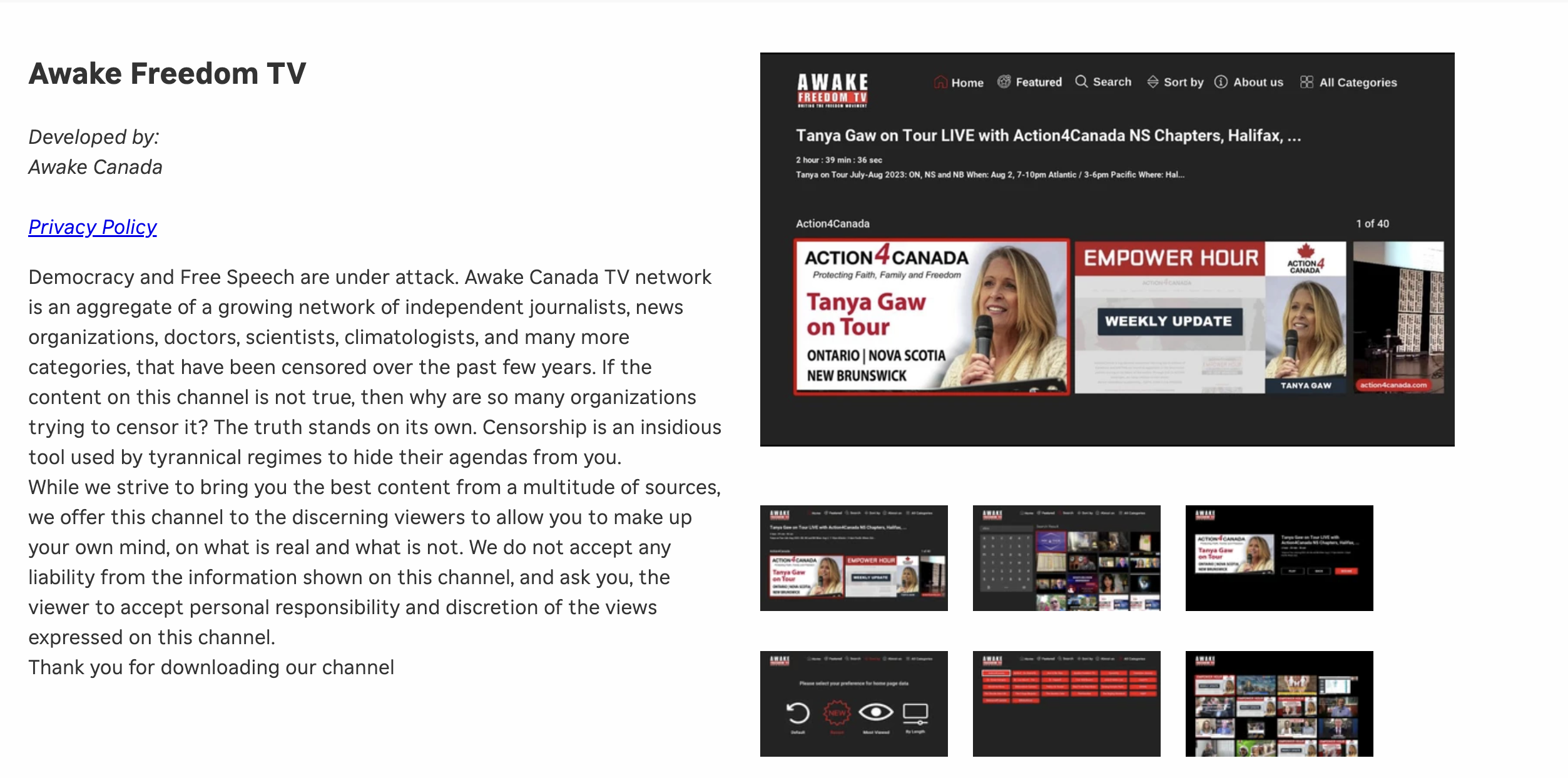
I could no longer maintain the costs on my own, so I moved the off of a dedicated server which was needed for the TV platform to work. On top of that, I want to build an app Awake Freedom TV app, for mobile phones. We need your help to first resurrect our TV channel, and then build the mobile app. In order to do that, I need a minimum of 800/month on subscription payments. Please help anyway you can with the form below.