In episode 132 of the Gutenberg Changelog podcast, host Birgit Pauli-Haack and guest Ellen Bauer explore the latest updates within the WordPress ecosystem. The conversation centers on the releases of Gutenberg 23.4 and 23.5, the recent WordPress 7.0.1 maintenance update, and the strategic roadmap for the upcoming WordPress 7.1.A significant portion of the episode is dedicated to major merge proposals destined for WordPress 7.1 that aim to evolve the core software.
These include “Core Abilities” for AI agent integration, the new “Knowledge” post type for managing site standards and guidelines, and “Design System Theming” to enhance consistency and accessibility via CSS custom properties. The hosts also discuss the shift toward mandatory iframing for the post editor in block-based themes, a critical architectural change designed to improve content rendering.Beyond core architecture, the episode highlights user-focused improvements such as enhanced responsive editing controls, which now allow for granular canvas resizing without preset limits. They also touch on media-related updates, including aspect ratio controls in the media editor, and improvements to the Icon block.
With WordPress 7.1’s Beta 1 approaching, Birgit and Ellen emphasize the importance of community involvement, encouraging developers and site owners to participate in ongoing “Call for Testing” efforts. Whether discussing React 19 status or new grid layout properties, the episode serves as a comprehensive briefing for anyone looking to stay current with the rapidly changing landscape of the block editor and WordPress core development.
- Editor: Sandy Reed
- Logo: Mark Uraine
- Production: Birgit Pauli-Haack
Show Notes
Special Guest: Ellen Bauer
- On X (former Twitter) @ellenbauer
- WordPress.org Ellen Bauer
- Bluesky
- ElmaStudio
- Previews appearances on the show
- Gutenberg Changelog #124 – Gutenberg 22.0 and WordPress 6.9
- Gutenberg Changelog 117 – WooCommerce Starter Theme and Blocks, WordCamp Europe, and Gutenberg 20.7 and 20.8
- Gutenberg Changelog #105 – Gutenberg 18.9, Block Themes and WooCommerce
- Gutenberg Changelog #88 – WordPress 6.4 and Gutenberg 16.4 and 16.5.
Announcements
- Call for Testing: Responsive Styling
- Modal Media Editor
- Client media processing and the
- Real-time collaboration outreach effort
- Call for Testing: Unicode email addresses
Community Contributions
- Merge Proposal: Expanding WordPress Core Abilities
- Merge Proposal: Guidelines built on Knowledge
- Merge Proposal: Design System Theming
What’s released
- WordPress 7.0.1
- WordPress 7.0.1 RC1
- WordPress 7.0.1 Fixes Registration Spam, wp_kses() CSS Corruption, and 7.0 Admin Design Glitches
- Roadmap to 7.1
Post Editor iframed
- Post editor: always iframe #74042
- iframed Editor Changes in WordPress 7.0 (February 2026)
- Preparing the Post Editor for Full iframe Integration (November 2025)
- Blocks in an iframed (template) editor (June 2021)
Punted from 7.1
- The Classic block stays in the inserter for WordPress 7.1
- React 19 upgrade temporarily reverted in Gutenberg
Gutenberg releases
- What’s new in Gutenberg 23.4? (June 17, 2026)
- Docs: Auto-generate per-block API reference pages from block.json. (77612)
- Proposal: Auto-generate Block Editor Handbook docs from block.json
- Documentation pages: Core Blocks Reference
- What’s new in Gutenberg 23.5? (July 1, 2026)
Stay in Touch
- Did you like this episode? Please write us a review
- Ping us on X (formerly known as Twitter) or send DMs with questions. @gutenbergtimes and @bph.
- If you have questions or suggestions, or news you want us to include, send them to changelog@gutenbergtimes.com.
- Please write us a review on iTunes! (Click here to learn how)
Transcript
Birgit Pauli-Haack: Welcome to our 132nd episode of the Gutenberg Changelog podcast. In today’s episode, we will talk about proposals for core, calls for testing Gutenberg 23.4, Gutenberg 23.5, and whatever side ideas we have about 7.1, which is in the works. I’m your host, Birgit Pauli-Haack, curator at the Gutenberg Times and a full time core contributor for the WordPress open source project sponsored by Automattic. With me today on the show, and I’m very delighted to tell you that is Ellen Bauer, product manager at WordPress.com and early adopter of block themes. Thank you for joining me, Ellen. How are you today?
Ellen Bauer: Thank you very much. Always happy to be here. I’m great. I just landed back in Bangkok this week where we are. I’m staying here a little bit longer with my family this year from Germany, visiting family and attending a meetup. And yeah, it’s good to kind of do that travel because it always inspires me to get out of a routine. And yeah, I’m really glad I’m here now and motivated.
Birgit Pauli-Haack: Yeah.
Ellen Bauer: To get back into working, improving WordPress.
Birgit Pauli-Haack: That’s a great time to spend in Germany. And I hope you had luck with the weather.
Ellen Bauer: Well, there was this heat wave in the second week. It completely knocked me out, to be honest.
Birgit Pauli-Haack: Yeah, that was really hard. And a lot of people say that.
Ellen Bauer: It was great and went on the last day I went to Legoland for the first time, which was also an experience and exhausting, but great.
Birgit Pauli-Haack: That’s here between Munich and Augsburg.
Ellen Bauer: Yeah, I think it’s close. Yeah.
Birgit Pauli-Haack: Yeah, between my first time. Oh, nice. Yeah, maybe I should go there too. But it is fun.
Ellen Bauer: It is fun. Maybe not. I don’t recommend to go in the summer on a Sunday, which we did, but. Oh yeah, that’s actually really fun.
Birgit Pauli-Haack: Family day. Yeah. So you mentioned you attended the meetup in Porto. What was your takeaway from the meetup with digital?
Ellen Bauer: So it was actually the main reason I came to Europe for it was the first time all products meetup from Automattic in beautiful Portugal for me, also the first time I’ve been to Portugal, which shouldn’t happen to not visit before. But it was really cool. I love Portugal. Really lovely people, beautiful vibe, nice weather. Yeah, it was really relaxing, really a treat. And then very inspiring and motivating to be in the product group for the first time all together in a nice setting and we had amazing conversations. For me, I also got to know my team a little bit better because I just sort of recently switched into dot com, so that was helpful. But yeah, also a lot of meaningful, deep conversations and I’m really, really motivated after that meetup.
Birgit Pauli-Haack: Oh yeah. So when you said meetup, I’m still in the community brain, so I thought it might have been a WordPress meetup because I spent some time. And that’s probably also the reason why my brain went there instead of the internal. Because I spent some time with meetups, local WordPress meetups in Salzburg and in Erfurt and also in Munich. I restarted the meetup here in Munich with a few of the original founders and some other people and. And it’s a totally different vibe than a WordPress conference.
Ellen Bauer: That is true. I love meetups.
Birgit Pauli-Haack: You meet 15 maximum 20 people and then you learn more about how they use WordPress, what they really move a normal user. So it kind of grounds you much better than kind of always being in the contributor section, kind of.
Ellen Bauer: So that is true. Well, there was WordCamp Europe, which I didn’t attend because it was just so much. I attended WordCamp Asia, which I also loved this year. That was such an amazing experience and very motivating. And I talked to a lot of people who are meetup organizers in India and I really now want to visit one of their meetups. It sounds fun. I also visited the meetup here in Bangkok before and I love the people there, the really tight community. And I’m also. I have been thinking for many years now that I should actually start a meetup in our town in New Zealand. I haven’t committed, but I’m always coming back thinking about it. So maybe I should just commit and do that because it would be cool to have like a local.
Birgit Pauli-Haack: Yeah.
Ellen Bauer: In New Zealand. There aren’t many around, but it would be cool.
Birgit Pauli-Haack: Well, the first thing that you need is a co-organizer. So don’t start until you have a second person to do that because we travel a lot. Well, I travel a lot and I cannot be at every meetup, so I need somebody else to do that. So that was kind of back of mind.
Ellen Bauer: That’s a good advice.
Birgit Pauli-Haack: Yeah. And the meetups in India, they’re really big. They’re 40, 50 people.
Ellen Bauer: I talked to someone and. And they have 200 people every month on Surat. I was like, I want to come. Yeah, it’s amazing. Like, I want to visit.
Birgit Pauli-Haack: It’s a small word camp for an evening kind of thing.
Ellen Bauer: That is so true.
Calls for Testing
Birgit Pauli-Haack: All right. Yeah. So work for 7.1 is progressing and there are calls for testing out, and this is the first time that there are so many out there. There are five of them. And if you want to learn what’s really in 7.1, there’s no better way to take a deep dive and heed the call for testing.
So there’s a call for testing for the responsive styling and yes, it’s coming to WordPress now. And then there’s a call for testing for the new modal media editor that opens up when you click on the crop icon in the toolbar of an image block or a cover block. And then there is the call for testing for the client media processing. That’s a feature that comes to 7.1 where the client, the browser is actually doing a lot of work in uploading the upload side of the image uploads and the resizing and then dumps it into the WordPress media library.
There’s also a real time collaboration outreach effort that is also a call for testing. And then there’s a call for testing for getting Unicode into email addresses. And that’s kind of fun too. So the testing has done an amazing job putting those calls for testing together because you get instructions on how to use it and videos to show you how to use it and then the instructions also for the testing. So your mental work on how do I test this is already done. You’re just going to follow the script and, and then have room in your mental room to observe your feelings for whatever you’re doing and kind of try to, to verbalize them and share your feedback. So it’s really interesting and I hope you dear listeners are going to heed those calls. One or two of them. You don’t have to do all of them. Yeah, I don’t grade you, but there will be a test. Yeah.
Community Contributions
Then there are also two. Well, I said two, but there are actually three merge proposals from the contributors. There’s new things coming to WordPress Core. One is expanding the WordPress Core abilities. It’s a merge proposal to add three read-only abilities to cover the settings, content and users for AI. And it gives AI clients real tools to call so the agents can understand what your site’s configuration, post and people are doing. There’s a discussion should this be in core, should this be a plugin and all that you can read up on the post. And the second one is also for AI is the guidelines to build knowledge on your website. Yeah, what’s your tone about what’s the tone of voice, the expression, what the topic is about and what the members are, what the standards are and all the notes for revision and capabilities. So an AI agent could follow those instructions as well.
And for people who manage multiple sites with one AI they can actually it’s different for every site. So it’s really important to have that on the site to give that that’s a new content type and new settings pages for these things. So you can even use your AI to update those guidelines. There’s one thing and then of course the last one is the bigger one and that’s a merge proposal for the design systems theming Andrew Duthie published a merge proposal bringing design tokens and new theme components to WordPress built by the Gutenberg Components team. But it turns the hard coded admin styles into CSS custom properties so your plugins and screens stay consistent and accessible.
Then a color ramp tool generates harmonious accessible scales from just two seed colors and the user color scheme reaches the site editor which will come into I think 7.1. So with a dark mode on the horizon. So it’s a good time to get involved in the discussion now, dear listeners, and to make your point of view listen to and converse with others on the impact for you and your business and for your clients because that’s where the decisions are made. Some of them are already made but they are loosely held, so to speak.
There’s a whole aspect of WordPress is we have strong opinions but they’re loosely held. If you have a good argument and you have a good use case or a different point of view, you are listened to. Of course if aired respectfully and even if it’s not respectful it should be because we all want to do the same thing. So the links to all the merge proposals and calls for testing will be in the show notes. You get to pick what you are interested in and so that’s a whole thing that happened in the last three weeks when we didn’t have a Gutenberg change log. So I wanted to catch you up. Any thoughts on that Ellen, that you want to share with our listeners?
Ellen Bauer: I think on the merge proposals but I think for the calls for testing the responsive styling of course sticks out to me because we have been calling for that for so long and the user the feedback was always there like what is that without responsive styling? So now here it is. So yeah go ahead and test it and I will do the same and kind of contribute to make it better or improve what. What we can. But here we go. We finally have. I think the number one ask always this is missing in Gutenberg.
Birgit Pauli-Haack: Yeah. I think the number one ask is not the responsive design because Gutenberg is responsive in certain areas. It’s a viewpoint. It’s a media kind of thing. Yeah. So what is a tablet? What is a mobile. And to change things for those screen sizes. And there was a big hesitation and there’s. On the developer blog, there’s an article about intrinsic design that’s built into Gutenberg. And I think the thinking was, okay, intrinsic design is what comes after media queries. Comes after. So because we need to also talk to what is component in the container queries in CSS and all that. And at the start of Gutenberg people wanted to push the envelope of intrinsic design and then see what’s missing. And. And now we know where it all goes and how to. To change it. And there is a. Yeah, we talk about it a little later when we come to that. Yeah, but so that’s kind of. That part why it took so long, I think was the reason why I kind of went on the drain there.
Ellen Bauer: That is true. I’m glad that we didn’t do like earlier versions of it. It seems late, but yeah, there’s. There’s a reason.
Birgit Pauli-Haack: But I think, yeah, a lot of plugin companies actually filled that gap quite nicely. I also saw a few implementations where you didn’t have three viewports or breakpoints, you had six, so. And I kind of couldn’t imagine that a normal user can keep in their head six different sizes to control the styling and when something needs to be changed to find it again where that actually was changed. I get the hesitation. So yeah, yeah..
Ellen Bauer: You quickly go a little overboard with that. And I’m also glad that we didn’t do that on the core level.
What’s Released – WordPress 7.0.1
Birgit Pauli-Haack: Yeah. So that brings us to what’s released and it’s release week kind of thing. So on Wednesday and we’re recording this on Friday, July 10, Thursday, July 9, WordPress 7.0.1 was released with bug fixes from the major release. And the release candidate announcement has a list of all the fixes in track and from the Gutenberg repo,
I’m preparing an article for the Gutenberg Times. I will probably put in the show notes about what the fixes actually did is the WPKSS or however say that CSS corruption on some of the admin design glitches and some more. So you can have a summary of that. Yeah.
On Wednesday, just the day before 7.0.1, a user ask in the core channel, what is. I see all the communication. Yeah. What is the latest version actually, and at that time it was still 7.0, but we say but tomorrow it’s going to be 7.0.1. 7.0.1. Yes. Yeah, yeah.
So 7.1 last month Anne McCarthy posted the roadmap 7.1. It was aspirational and also very concise with an outline and links to the tracking issue for the many features contributors have been working towards. Beta 1 of 7.1 is scheduled for next week. That’s July 15th. And by then we will know the full picture of what made it and didn’t make it into the release features from the Gutenberg plugin releases 22.6 through 23.6 will come to 7.1 unless they’re behind an experiment flag or plugin or plugin only as guardrail 23.6 release candidate. And that’s what’s getting into the beta version is on July 14, so one day before the beta version, because that’s where all the NPM packages are created and all the things get into the branches. Right feature branch.
The final release of 23.6 is moved to July 22nd. That was kind of decided by the release tech leads to get it all just in time for beta and organize that. So the deadline for enhancement into the plugin on 7.1 is July 14, the day before beta. So if you’re a contributor and you want to get the feature that you were working on in this weekend is probably crucial because it also needs to be reviewed and approved. So give people time to get in there.
So yeah, what should be on your radar for 7.1 is the mandatory iframe of the post editor. We mentioned it before. It actually has also a lead time to come to this point is the post editor runs inside or the block editor should run inside an iframe because it isolates the content from your admin styles and makes the viewport units and media queries work correctly against the editing canvas rather than the browser window. And in 7.1, iframing becomes more enforced for block based themes or for all themes because it ensures that canvas behaves predictably and the blocks render accurately for both the post editor and the site editor, template editor and pattern editor and plugin developers.
So plugin developers who have not updated their Block collections from version 2Block JSON version 2 to 3 should actually upgrade to make this all work. If you want to catch up on the newest discussion, there’s a Gutenberg PR that’s called Always the post editor for book theme. And that’s the 79819. And if you put that in your playground, you can actually add some of the plugins or your staging site, or add it to the staging site, then you can test your things. I think the biggest problems are sites that are maintained by people that do not read the make blog or do not listen to podcasts or read blog posts about their site or the software. And those are sites that haven’t been maintained for a while, otherwise they would have already upgraded things. Yeah.
Ellen Bauer: So block themes need to do anything too. They haven’t. No. Right.
Ellen Bauer: I haven’t looked into that.
Birgit Pauli-Haack: It’s a problem for blocks. Yeah.
Ellen Bauer: That are in the block plugin collections.
Birgit Pauli-Haack: Yeah. That only. They were only meant for post editor and have never been used inside editor or something like that. Because those would have broken already. Because the site editor since 2020 kind of uses an iframe version. So if you use the block in a template or use the pages thing from the site editor, the pages administration from the site editor, you will know when the block breaks. And in the post editor, if you go into the console, you see the notification that it’s going to be deprecated. But if you’re only in the post editor and never look at anything else and those blocks might break if they’re not updated.
Ellen Bauer: What should they do if this happened to them?
Birgit Pauli-Haack: There are some guardrails in place and there were two PRs. That one is the hard kind of, okay, we do all the iframe insight and that’s going to be in beta. And in beta, listening to the feedback will decide if there will be a switch to the other less hard choice there in terms of saying, okay, if it’s a block theme, it’s going to be an iframe post editor. But if it’s not a block theme and. Or if there are blocks on the page that are on the old version, like the version 2, then it will not be iframed, but that is subject to change. It’s kind of. There’s a trial and error kind of process here to figure out what is the best way move forward. Because the first post blog post about that was actually published in June ‘21, so five years. And then there was another one in November 2025, and there was another one in February ‘26. So there is a lot of leeway or runway for agency developers and plugin developers to kind of update, but sooner or later there will be a push to make it final and then deal with the consequences. Yeah.
Anne McCarthy’s roadmap included two updates that we already know have been already punted. So that’s the update to React 19 and the deprecation of the classic block. Those things have been punted. And there are blog posts on the make blog for the reasons and next steps for that. It’s pretty much the classic blog where there was a lot of communication around it that said, okay, maybe it’s not a good time yet. And for the RAC 19 there were too many backwards compatibility issues, but it’s going to come. So it just needs a little bit more runway to get final to that point. All right. Any thoughts about that?
Ellen Bauer: Not really. I’m excited for 7.1. I think we haven’t mentioned the release time. Is that still planned for WordCamp US and like August 19th.
Birgit Pauli-Haack: Yes, the planning is July 15th being beta and then August 5th being release candidate and August 19th final release on the last day of WordCamp US.
Ellen Bauer: Okay, cool. I’m excited.
Birgit Pauli-Haack: Yeah, I’m excited too. There are nice features in there and there are nice updates to the site editor there and I’m very excited about that.
Gutenberg 23.4
And now that brings us to Gutenberg 23.4. Let’s go and talk about things.
Ellen Bauer: So that was released June 17th. We’re also going to talk about the next release 23.5 right after. So let’s start with this one first.
So I think the most exciting things in there are related to media. And the first thing that is pretty exciting is if you load media into the post editor, you now get like a little notification snack bar that kind of tells you the progress of your uploads. Like if you load dump, just dump in like 20 images you’re going to see. And you also I think timed first image, second image, third image. We are used to it, I don’t know from apps and stuff. So I think that is really, really helpful to see the progress of the loading there.
Birgit Pauli-Haack: Yeah. And Adam Silverstein did an amazing job to get this all done. There’s a second one that also that the upload process is now enabled. So when it’s interrupted because you’re offline or something, it also resumes automatically the upload on the when the connection returns. So this would save quite a few hurry up and wait kind of thing. When you’re maybe on a train or in a country where you don’t have stable Internet connections to upload your media.
Right now, I only highlighted that because it’s in the same thing that the client side media processing is now geared towards 7.1. So the plugin’s only guardrail has been removed and it can be merged into WordPress.
Enhancements
The next one is the playlist block. It now has a visualization style selector so it has the playlist lock. When you try and test it, you’ll see there is a visualization kind of where the music builds some animation on top of the track and you can select the styles now for that. And also it now has a track length setting so you can set up the settings for that as well.
Ellen Bauer: Another thing I kind of liked because I’ve built that before is if you have, I don’t know, on a WooCommerce theme or something, if you want to have the log out log in or for any other kind of purpose, you can now get that into an inner block of the navigation submenu. The lockout lock in. That wasn’t possible before. It’s a small thing but very helpful for whenever you want to have that in a drop down or sub menu.
Birgit Pauli-Haack: Yeah. If you have a membership site or subscribers only content and you. You offer them a nice accessible way to log in and log out. There’s a very minimal change, but you might need. You will notice it. It’s the time to read icon has been renamed to time. So it’s not. Might be getting rid of redundancy, but I’m not sure it’s even clearer. It’s clear enough. So yeah, that’s the change.
Ellen Bauer: Yeah, I think that’s mainly kind of to reuse it, to be able to reuse it for more things. Right.
Birgit Pauli-Haack: Yeah.
Ellen Bauer: Another thing that I think is a little bit bigger and quite helpful is that now it’s possible that columns and gallery blocks can be transformed into grid variations for layout styling. I think that’s kind of cool. I think I wanted to do that many, many times.
Birgit Pauli-Haack: Yeah, me too. Because I forgot that I have a grid block and I tried to do things with the columns block.
Ellen Bauer: Yeah, yeah. So often you kind of start out in a column and then you realize no, that should be a grid.
Birgit Pauli-Haack: And then again for the media. But this time it’s out of the block editor. The media editing modal has changed and it has some new features, better features, new libraries. And we talked about it before on this podcast. But now you can reorder the details field has been reordered and then now you have aspect ratio controls for the mobile toolbar and they refactored a little bit the modal layout in total. But this is a great, great tool. So these are all just the usability issues. The main feature was already in 23.2 or 3 and there are editable attachment fields. And the mobile tool. The mobile toolbar has been updated to include the aspect ratio controls. Also uses the zoom uses now plus and minus buttons. Yeah. Instead of the spyglass.
Ellen Bauer: Oh yeah. That is actually very helpful an update on the dashboard. And you maybe have to help me out if I’m not 100% sure if I understand that correctly. So we always had the grid columns and now they are opinionated. So pre designed responsive. Is that correct if I say that like in your dashboard, like the two columns, I think it’s maximum four columns. It doesn’t go more than four and then it reduces like it nicely responsive by default, right?
Birgit Pauli-Haack: Yeah. It goes from 960 desktop width, so four columns to two columns between a tablet kind of size, between if it’s smaller than 960 to 600 and if, if it’s smaller than 600 or 600 and smaller, it’s going to one column and has a mobile kind of view there. So it’s definitely responsive. But that’s the dashboard. It’s about the admin dashboard. It’s not in the block editor. So that grid has nothing to do with a grid block in the block editor. So we have a little issue there with using the same words for different things. But that’s because it’s all grid based. But it’s a good thing.
And contributors have an experiment on redesigning the dashboard and also let blocks going in there and all that. So it’s. It’s quite interesting to see that there are more additional features in there like this day before. Right. So if you’re in a block, you can. They’re figuring out how to put the previous day and previous years. So if you have a blog for 30 years or 10 years, you. You get. Or even five years. Yeah. You get a notification, what you published about this time of year, last year or something like that.
Ellen Bauer: Yeah, I like that.
Birgit Pauli-Haack: And that was actually kind of nice.
Ellen Bauer: It kind of embraces your blogging history.
Birgit Pauli-Haack: Yeah, exactly.
Ellen Bauer: One actually kind of cool little change that I really like is in the site editor now. The admin color scheme, if you select another one, get translated into the site editor. So I know a lot of people always say, oh, you go into the site editor and it’s this black different looking user interface. And yeah it’s. Why is it so dark? So now it kind of adopts the color scheme you have selected. And I think this like part of bigger work going into kind of making the interfaces more be like one thing instead of.
Birgit Pauli-Haack: Yeah. The unification of the admin interface is also a long time coming and I think that’s a, that’s a fantastic step. Yeah. To kind of just make it sure that if you have a green sidebar that it’s also green in the site editor.
Ellen Bauer: Yeah. Because why, why wouldn’t it be?
Birgit Pauli-Haack: Yeah. So on the client media side again, the ultra HDR JPEGs that are detected by upload and then the originals are kept unmodified and the sizes subsizes. They preserve their ICO standards. So you have a better quality of the Ultra HD but it also handles the bigger sizes. So it’s a nice addition to the media upload feature that we talked about before.
APIs
Ellen Bauer: And then we also have an update on APIs. Oh, God. You have to help me with this one. I read it, but now I’m kind of like what was that about again? The future it will help.
Birgit Pauli-Haack: So it tracks per entity, the view configuration for pages. And then so it’s about the pages of pages, posts, patterns, template parts, templates and have their default layout in the grids being the, the layout grid in the admin. So when you’re in the site editor you have a choice when you look at templates, what kind of layout. You have a grid layout, a list layout and these kinds of things. And now there is actually an API that you can extract that view configuration for several other things. If you’re plugin developers, you can then replicate what the, what the priority is or what the preference is for your user. And you see that in the rest API when you pull out the information and display it again, that you get the configuration with it. I don’t know.
Ellen Bauer: So you can practically kind of unlock whatever the configuration was in default and then use that in a plugin or something, right?
Birgit Pauli-Haack: Exactly. Yeah.
Ellen Bauer: The same screen.
Birgit Pauli-Haack: So when you. One use case could be if you are using WordPress as your content container, but have another application that displays things as a headless or in another. In another admin content management system that only talks to WordPress with all and pulls out the things that are in WordPress and measures it up with other data that’s also in the system, then you are able to display the same what the user sees in the WordPress admin, you can display that also in your system at the same time. So that kind of would be one of the use cases that I just made up.
Ellen Bauer: Yeah, that makes sense and very good to explain in that way. What else do we have next?
Experiments
Birgit Pauli-Haack: So the dashboard we talked about that now has also an events widget that can be filled.
Documentation
I wanted to point out one documentation thing that is really a big deal that Juan Margarido has taken on in April or May and push that through a merge now with 23.4 and that is the auto generation of the per block API reference from the block JSON files.
So, until now it was really hard to figure out, okay, what’s the block markup and are there all the supports in there? Because the documentation was handmade. So if somebody updated a block’s configuration and block JSON and added support to it for other things, it would not show in the documentation until someone touches the documentation page. And for 90 blocks or so that are in core right now, that’s a moving target and fast moving target. So he proposed to go in and auto generate that documentation page for humans and AI to map multiple things.
So one is the parent relationship with other blocks like think accordion block and the sub blocks there, the attributions in the table, in a table that what the block supports and with links to explain those features. So if you don’t know what the alignment or support of a block is, you can look it up right from there and then what block styles come with core so you don’t have to figure that out from the interface. So like the button comes with two styles, one is the default, the other one is the outline style. Then which CSS selectors are automatically created and then an example of the block markup. And last but not least, also the links to the source of the information and the packages. So you have a full 36-degree view on the block. And because the documentation is auto updated, it comes right there when the new features are kind of added to the block and it will be shown in the documentation.
This not only helps the developers and theme developers to have a better handle on or one lookup page or section in the documentation, it also helps AI agents to form a comprehensive space to learn about WordPress blocks. Because I have found that AI sometimes just does a custom HTML block and puts it all there instead of using a column block or cover block or something like that.
So this is a very big deal because that’s something where AI elevates human capabilities because he used AI to run the code that parses the block JSON and puts it into the documentation page and then also has that documentation page from the GitHub repo into the developers.wordpress.org document block editor documentation automatically merged there. So this is a big deal. And kudos to Juan Margarido. He also spent some time getting some community input from the documentation team from the Gutenberg leadership. We had a hallway hangout with a Q and A and it finally was merged now. So kudos.
Ellen Bauer: Yeah, that’s pretty cool.
Gutenberg 23.5
I think now we’re moving to the latest release, 23.5, released July 1.
Enhancements
I think the first thing we wanted to highlight was that the design system token defaults now with out a runtime which practically, as far as I understand it correctly, helps that all the styling from the design system is just there by default. There’s nothing that got missed. Is that correct? Yeah, because it happened before that some design elements were in style.
Birgit Pauli-Haack: Exactly. Yeah. It’s now available as public export. That’s pretty much so you can use it in your own apps that you put into apps. I say it’s also called plugin, so you can use it without having to import it into your plugin via NPM and these kinds of things via the build process. So you can just import it into your app here.
But I also want to point out again the match proposal for the design system. Everything there is kind of in a holistic way explained and also what it’s supposed to come to. And these are all plenty of the component work that’s done for 23.5 and released or merged is actually in support of the design system and the UI revamp of the components.
Ellen Bauer: I think about the block library. And we have a few other updates in the release. The first one is that the viewport states and the controls are now support for they supporting aspect ratio and all the related controls with that.
Birgit Pauli-Haack: So I think yeah, it’s part of the styling system. Yeah.
Ellen Bauer: For image blocks featured image block media library also no, no background images. A background cover image and cover block, yeah.
Birgit Pauli-Haack: Also yeah, okay, that’s the viewport states is the name that they give the responsive editing screens. So those controls are now also available.
There’s also a line item in the block library section of the changelog about the classic block to hide it from the inserter that has been reverted. That’s part of the blog post that I mentioned earlier that was published after the release of 23.4, so I wanted to point that out.
The next one is that the media editor modal is now available also for the cover block that comes with that. I think I mentioned that already. But now when you have a cover block with an image, you can also use the media editor modal to crop it, to rotate it, to tilt it and all that kind of things.
Ellen Bauer: That’s a nice add on small but also visually really nice to have is that the icon block now has controls for flip and rotate the icons, which is very nice to have like a. One of the things you like kind of expect to be able to do and then it’s super difficult. So now you can do that. And then it also. What is the second one about?
Birgit Pauli-Haack: Oh, it just adds a default placeholder instead of to the blockchain.
Yeah. So there was also a big push to have text alignment support for some of the text blocks. And now the block quote. I think there were seven or eight blocks that have that again. This time there was missing text align support and that has been rectified. So now you have also text align support for the block quote.
Yeah, that was one thing that threw me quite a bit and quite often I always went back to the quotes block. But a quote block and a pull quote have different use cases and a pull plot is an excerpt from the article and you couldn’t make it not centered. It was kind of odd that you couldn’t left align it. Which is my favorite. Yeah. Centered when you have more than one word in the center, you hardly can read it. Or more than one line. Yeah. So I always wanted to be left aligned and I can’t quote just a sentence. Yeah. So I’m really great that they have a text aligned support now that makes sense.
Ellen Bauer: It’s these little things that kind of throw you, throw you off if you don’t have them and you’re like, why can’t I then? I think one of the biggest things in this release is that the resizable editor now it’s like fully resizable. You can drag it along. It’s not just mobile, tablet, desktop, you can get your own size and preview it. I think this is one of the biggest releases in this. In this update 23.5. So can you do anything else? You can resize it.
Birgit Pauli-Haack: Yeah, yeah. It has a handle though. You can resize it. So you have a handle to make it smaller but not as small as mobile. So you can see if. If somebody uses a tablet whatever and odd width you can kind of test it if, if your settings actually work there or your. If the. The layout is there. But you cannot change the viewports themselves. Yeah. They are not customizable. It’s just so you can see the preview there. Yeah.
Ellen Bauer: Which is very helpful like visually.
Birgit Pauli-Haack: Yeah. Especially when you get a call and you don’t have that device on hand. Yeah. That a client sees or a client has a complaint from their clients that something is wrong on the view. You can just kind of tested in the block editor without having the device on hand.
But there is a long standing request to be able to change the viewport numbers and because right now they are hard coded to I think 768 is the desktop and then 467. Yeah. 468 is the tablet and or between there is tablet and then below is the mobile. But there is good news. There is coming with 23.6. It’s already merged is in PR where you can change that via the theme JSON. So theme developers are now able to change viewport numbers for their sites. There is no UI yet for it. But that’s typical. That theme JSON is first. So theme developers can test it out and can actually use it. But for the UI you need a little bit more information how things are going and how users would work with it.
Ellen Bauer: And there’s also been a smaller change on. If you add a note that just. It’s simplified how the show more or less collapse works. If you have a long note you want to collapse it and show more or less. I think that just has been reworked or simplified.
Birgit Pauli-Haack: Right.
Ellen Bauer: I don’t think it’s anything we see on the user side. Right. It’s more in the background. Yeah.
Birgit Pauli-Haack: It’s just faster. Yeah. It’s kind of that. Okay. Mostly performance issue. Yeah. You’ll see a slight change there.
There is the experiment of the omnipresent toolbar which is pretty much the admin bar. In the editors you see the admin bar, the black admin bar on top of the screen when you’re logged in and you look at your website from that perspective and you also in the post editor you see the black toolbar but you couldn’t in the site editor or in the other editors. So now the experiment is to show it but then also unify the interface because the design view or the site editor has its own W to go back to the other admin. And when it’s in the admin bar you just click where you normally click to get to the site. So it’s all unification of the interface pretty much. And now you can see the site icon instead of the dash icon if you select it as well in the toolbar. So there has been an ongoing effort and some of it might come to 7.1. It’s on the roadmap for the admin bar everywhere, so to speak.
Ellen Bauer: I think one thing that I remember I struggled with quite a lot is the flex behavior of children. So now there has been.
Birgit Pauli-Haack: You mean your child? Well, it’s not the flexibility of toddlers.
Ellen Bauer: The Flex elements. I love flexbox CSS always have. But I think we always had a problem that they weren’t behaving like exactly like CSS. Flexbox should behave. So now one of the changes has been that so flex children that had a fixed width, this is now like truly fixed. I think it was squishable before. Can you say that? Is that correct? And now it’s like a truly fixed width to zero. So I think that’s one of the things visually that helps a lot. And then the other one was grid layouts now have fill available space, toggle. Is that correct? I think it’s just a toggle in the settings. Right. That you can toggle on and off and then you have auto fill and auto fit behavior. Okay. And this behaves exactly like CSS grid behavior.
Birgit Pauli-Haack: Yeah, you would expect. Yeah, that’s pretty nice. There was some. Some quirkiness to the grid block and the grid layouts and I’m glad that Isabella is working on that constantly to improve it and to get back to it.
Ellen Bauer: Yeah, she’s doing great work. I met her live at WordCamp Asia this year and it was really pleasant because I love flexbox Grid. I always love these blocks and CSS settings and they never quite worked. How I or like went into that depth, I wish they had. And yeah, she’s. I think, like, she has the same opinions, so it was a good chat.
Another thing that is kind of cool and fun to have is that now global styles allow text shadow settings. So, yeah, there’s these options of text shadow, if you ever want to use that in like a cool, fun design or. So now you can set it in global styles, which is really cool. That wasn’t possible before at all, I believe. Right?
Birgit Pauli-Haack: Yeah.
Ellen Bauer: Right.
Birgit Pauli-Haack: It’s a new style support.
Ellen Bauer: I really like that.
Birgit Pauli-Haack: Yeah, I tested it and it’s really nice. There are some presets in there that come from core, and I still need to figure out or find out how you can switch off some of the styles and how you can add your own styles like you can do with the shadow box. The shadow box has a feature that you can switch out the core styles with your own styles or just switch them off, but you definitely would need that for the texture as well.
Ellen Bauer: Maybe we will add that.
Birgit Pauli-Haack: Yeah, it’s not there. It’s the first version and the first version is pretty much a minimal viable kind of setup. Yeah.
The next thing is again Media Editor modal. It now has some error states. You can magnify the crop to fill the canvas and the current post always includes the initial options. There are also minor fixes, but that is because it gets ready for 7.1 release. So every aspect of it is actually and comes from feedback from the call for testing. The call for testing was actually already issued in I think in May. So it’s already a month in or two months in. So there is already some feedback coming back.
The data layer has a feature for the real time collaboration or many features, but one of them stands out is that you can disable collaboration per post. So if you have maybe a recipe or a book post type and you don’t want anybody to collaborate with you on that, you can switch that off. It’s probably best for very visual post types or it’s also necessary for template parts or for navigation. Those are also post types. You can control that now.
So there was a for a while in the text controls there was a prop to have the next 40px default size and there was underscore. Underscore was an experimental property and that now has been made the default. So if you had a 36 before or 32 on the default size for the text box, then if you wanted to be in the same realm as WordPress itself, you had to use the underscore next 40px default size prop to have the same sizes of the controls and now those are default now. So you don’t have to do this experimental prop to use but it will change how things work. So you might want to, as a theme developer or a plugin developer, you probably want to check your plugins, your text control components, how they change behavior or at least the default layout. So that’s why I’m calling that out here in the episode.
And also a similar thing is known that 23.6 Gutenberg 23.5 bumps. The minimum required version to install the Gutenberg plugin is now 6.94 versions 23.5 and newer. So if you are on 6.7 or 6.8, you are not getting the newest version of the Gutenberg plugin. So I think. Oh, there’s one more. Did I overlook something?
Performance
Ellen Bauer: No, I think on performance you highlighted that blocks migrate markdown converter from showdown to marked. And what does that do?
Birgit Pauli-Haack: It actually is just performed faster. Yeah.
Ellen Bauer: Oh, yeah. Okay.
Birgit Pauli-Haack: And it also has a different parser, so it might have a say. It’s G. What’s it called? GTM. There is a standard for markdown that comes from GitHub and it now adheres to that standard. Yeah. So that’s updated. It’s a minimum change most people wouldn’t even need to do. But if you copy paste something from GitHub or from other Markdown editors or from your AI agent, it’s a different parsing process.
Ellen Bauer: I just researched that and it said that the previous one was like from 2018 or so and this is just like a faster newer version that we updated to. Okay, that makes sense.
Experiments
And then there was one last highlighted thing on the block library unwrapping. Classic block migration notice experiment.
Birgit Pauli-Haack: Yeah, that’s part of the effort to the classic logic. But that has also been reverted so it will not announce that this is deprecated. So it’s important to know that that line item in the change log has been overwritten already with a newer version that comes to 23.6 on July 22.
Various
Ellen Bauer: And there was another small update on icons to self declare icons color on the icons block.
Birgit Pauli-Haack: Oh, nice. Yeah, I overlooked that. I got lost in the changelog already. So.
Ellen Bauer: I mean there were a lot of these smaller things.
Birgit Pauli-Haack: Oh yeah. So if you have an icon, it can say I’m. I’m only in blue or something like that. What does it mean, the current color?
Birgit Pauli-Haack: Oh, current color. Yeah, of course. Duh. Yeah. I was still stuck on tab sync finally second the tab sync because it’s the. For stabilizing it to come into 7.1. The tabs block is still under active development until July 14, so don’t start building on it yet because there’s API cleanup and refactoring going on where the contributors try to nail down the final version before it gets into core. Yeah, that’s the end of it.
Ellen Bauer: Wow.
Birgit Pauli-Haack: Yeah, we still had a lot to talk about, Ellen. Yeah. So apart from the responsive styling, are you excited about some things that come to 7.1 in the near future?
Ellen Bauer: I think for me, being like a Visual X thing builder or and working on blocks, I think responsiveness is a big one and I’m excited to see how. Yeah. How we just kind of improve things. Also, I like that we are looking more into the dashboard and finding ways to unify the experience. I think this is one of the things that always come up that it looks kind of like two different versions, partly outdated. And I think we need to move along and kind of come to maybe not make everyone happy, of course, but come to a compromise that we can all live with and then move forward. I think this would really help WordPress to kind of shine in a way that it doesn’t look outdated or not like one product. I think if we can come together and do that and push for that change, that would be really, really helpful for all of us and for everyone and for WordPress. So I’m excited to contribute and help to make this happen.
Birgit Pauli-Haack: Awesome. Awesome. Yeah. Yeah. I like the new blocks that are coming. Of course. I have been a fan of blocks since the beginning of the block editor, so I like that the playlist block and the TAMS block. And finally. The table of content. There is an effort to actually have the table of content come to WordPress. Right now. It’s only available for years in the Gutenberg plugin.
Ellen Bauer: I didn’t even know. I thought it would be in.
Birgit Pauli-Haack: Yeah.
Ellen Bauer: Even small things like rotating icons and stuff like that or having them be the current color and all these grid and Flexbox things. They. We need these things. I think it’s still very, very important to have professional settings like that available.
Birgit Pauli-Haack: Yeah. And this is a visual person. You’re probably also happy that you now can have in the group block. Background gradients. Gradients. We all love gradients. I love gradients. I love gradients. Yeah. And there’s these kinds of things.
Ellen Bauer: They’re like, why aren’t they there? And so responsiveness. And I think just of kind of growing up Gutenberg and the editing experience.
Birgit Pauli-Haack: Yeah.
Ellen Bauer: Seems. And even like with AI helping on a lot of things and being able to patch CSS and stuff on onto things to make things better that we don’t have. I think it’s still important that we aim for a really high quality experience in manual editing so people find what they’re looking for and are not frustrated or get lost. I think that’s just the quality we want to stand for and have in WordPress no matter what.
Birgit Pauli-Haack: Yeah.
Ellen Bauer: I think the standard should like, should be. We aim. Should aim for that as being just there for people, for users.
Birgit Pauli-Haack: I think we. We develop, as I say. Yeah. Are kind of really immersed in this AI grace and hype and also the possibilities and the usefulness of AI in our work. There is a danger that we forget that WordPress users that are writers or publishers actually are not using AI to do their work on WordPress. So we definitely need a delightful interface and all these small changes, quality of life changes and the big changes like the responsive editing and the dynamic galleries and whatever is going to come. The modal editor, the media editor needs to be delightful and useful for humans that are kind of having fun and producing more content for the Internet that is kind of. Yeah. Eating it whole, so to speak, with AI.
Ellen Bauer: Yeah, yeah, I love that too. Delightful is a beautiful word to use. Yeah. We want to delight people using WordPress and this should be our aim. AI or not, like in whatever. We have to meet users wherever they are, however they want to use the tool. It shouldn’t be, oh, we can leave this stuff now because everyone uses AI. I think if we have a user interface, it would be delightful. If it’s not yet delightful, we have to make it delightful. And AI can only help us to do that because we can contribute faster, we can move things faster. So let’s use AI for that, to delight users to meet them wherever they are for everything we offer, and we do offer a user interface. So here we are with some work to do.
Birgit Pauli-Haack: I think that’s a good end of the show today. Thank you so much, Ellen, to be on the show and walk with me through those changes that are coming and if people want to reach you, how is a good way to reach out to you.
Ellen Bauer: So I am in the community Slack WordPress community Slack. I’m also on social media, not that active to be fair, but reachable anytime. I think for WordPress community, the community Slack is the best place to reach me. But if you look at my name, Ellen Bauer, you can find me online on all kinds of platforms and I’m oh, I’m actually revamping my Manu and my Little Elmo Studio blog. So there’s going to be a new design and I’m really excited to get blogging again. Also doing a lot more like a few more YouTube videos. I have some ideas for that over the summer month now. So, so wonderful. Yeah, I will share if I have some news on that. Look out for Ellen or Elmer Studio and just reach out anywhere.
Birgit Pauli-Haack: Excellent.
Ellen Bauer: Yes, I’m always excited to hear from you.
Birgit Pauli-Haack: Wonderful. Thank you so much, Ellen.
Ellen Bauer: Thank you for having me. Birget, you’re welcome to be on the show.
Birgit Pauli-Haack: It’s delightful to have you to overuse that word.
Now, dear listeners, the show notes will be published on GutenbergTimes.com podcast this is number 132, 132. And if you have questions and suggestions or news you want us to include, send them to changelog@gutenbergtimes.com that’s changelog@gutenbergtimes.com thank you all for listening. And until the next time, goodbye.
Ellen Bauer: Bye.
Please consider helping!
Awake Freedom TV On Roku is Broken! 🙂
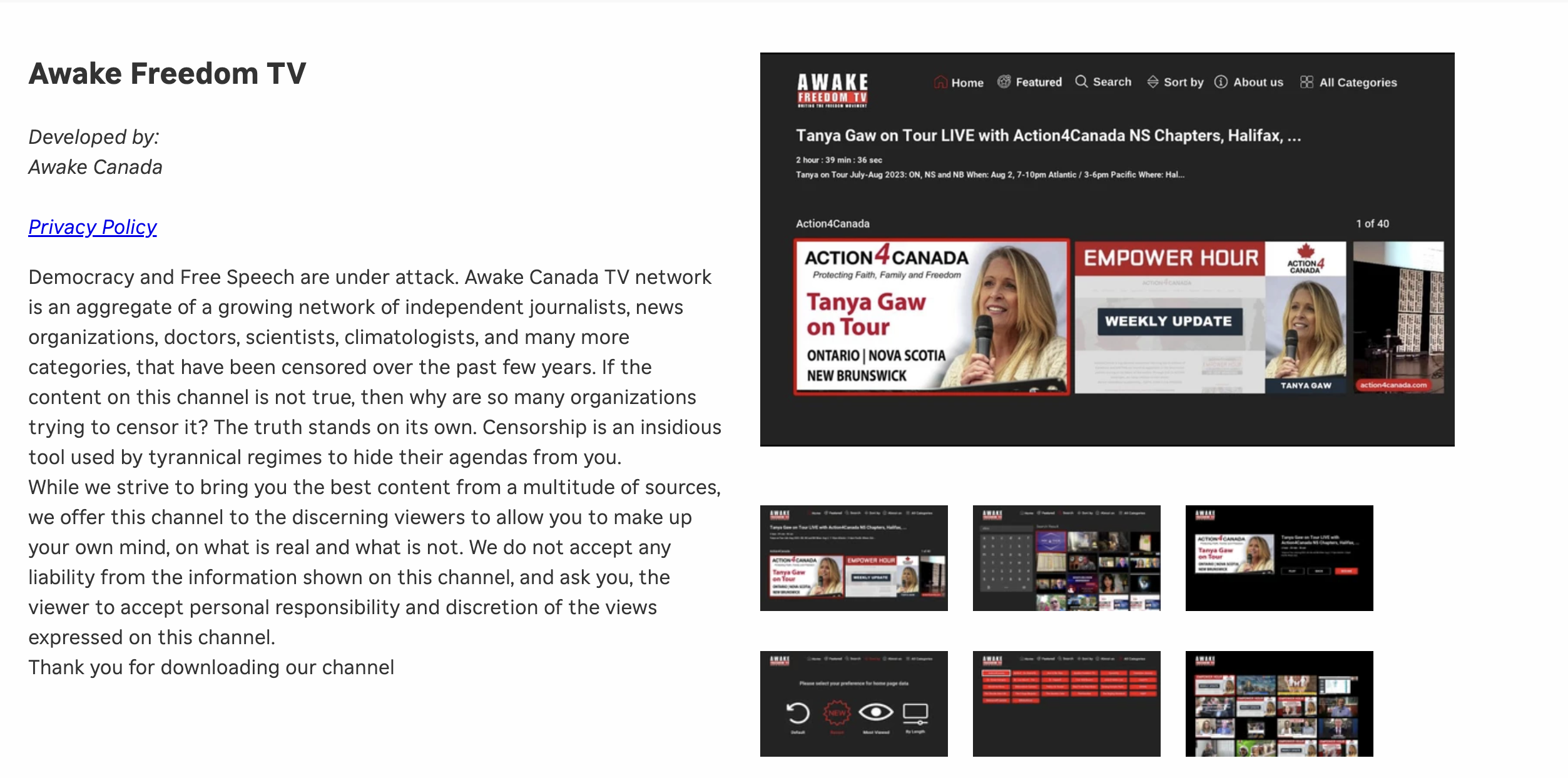
I could no longer maintain the costs on my own, so I moved the off of a dedicated server which was needed for the TV platform to work. On top of that, I want to build an app Awake Freedom TV app, for mobile phones. We need your help to first resurrect our TV channel, and then build the mobile app. In order to do that, I need a minimum of 800/month on subscription payments. Please help anyway you can with the form below.